Editorial Independence & Compensation Disclosure
Our reviews are based on objective research and testing. To support our testing operations, we may receive compensation from partner links on this page. Our ratings are based strictly on objective evaluation criteria.
AquaFunded Proprietary Trading Firm Summary
AquaFunded is a high-growth proprietary trading evaluation firm headquartered in Dubai Silicon Oasis, established in late 2023. The firm offers 1-Step, 2-Step Standard, and Instant funding programs with account capital scaling from $5,000 up to $2,000,000.
Firm Infrastructure & Payment Ecosystem
AquaFunded Challenge Plans
AquaFunded Evaluation Rules
⚠️ Consistency Rule: 25% daily profit consistency guideline applies on funded accounts to prevent windfall lot sizing.
Not sure how consistency rules affect your payout? Read: Consistency Rule explained — 5 ways traders get denied payout
Leverage & Asset Specifications
| Asset Class | Standard / 2-Step | 1-Step | Instant / Swing |
|---|---|---|---|
| FX Major & Minor | 1:100 | 1:50 | 1:30 |
| Indices (NAS100, US30) | 1:30 | 1:20 | 1:10 |
| Commodities (XAUUSD) | 1:30 | 1:20 | 1:10 |
| Crypto (BTC, ETH) | 1:5 | 1:5 | 1:2 |
Payout Policy & Timelines
Bi-weekly payout schedule starting on the 14th day of live trading with no minimum profit target.
Restricted Territories & Jurisdictions
In-Depth Editorial Analysis & Verification
📢 Independent Publisher Notice
Platform Review is an independent third-party review publisher. We are not AquaFunded and are not affiliated with or endorsed by AquaFunded. Independent setup guide and third-party educational walkthrough.
About this page: This page was created by Platform Review as an independent editorial review and setup guide. Offers shown here are subject to change and are verified from the brand site when available. Terms and availability may vary by region and date.
📢 Independent Educational Disclosure (Google Ads & Anti-Phishing Compliance)
Independent Research & Setup Tutorial Hub: This guide is independently compiled by Platform Review for technical educational purposes and practical workflow demonstration. We are NOT the official website, owner, or legal representative of AquaFunded FZ-LLC. Links on this page may contain referral affiliate tracking. All evaluation challenges operate strictly within simulated demo trading environments using virtual capital.
Financial Risk & Simulation Disclaimer
Proprietary evaluation challenges provide simulated trading environments with virtual demo funds. Challenge registration fees cover evaluation testing services and are non-refundable unless specified under package terms. Ensure you thoroughly understand equity drawdown and daily consistency rules prior to purchasing.
Prop Firm Profit & Drawdown Calculator
Estimate virtual profit splits, drawdown targets & safety limits
Trader Payout (Your Share)
$6,400.00
Prop Firm Share
$1,600.00
Total Simulated Profit
$8,000.00
Maximum loss allowed in a single trading day
Maximum overall loss allowed on the account
Note: To pass the simulated Evaluation, you need to reach a virtual target of 8% in Phase 1 ($8,000) and 5% in Phase 2 ($5,000) without violating the drawdown limits listed above. No minimum trading days required.
Getting started with AquaFunded takes less than 10 minutes if you know what to expect at each step. This guide walks you through the entire registration process, from picking the right account size to receiving your login credentials for MT4/MT5, cTrader, or TradeLocker, managing risk rules, and executing bi-weekly payouts.
Step 1: Visit the AquaFunded Website
Go to the AquaFunded website and click "Get Funded" or "Start Challenge" on the homepage. This will take you to the account configuration page where you will build your challenge from scratch.
📸 Screenshot: AquaFunded Homepage Interface
Step 1 Portal Entrance
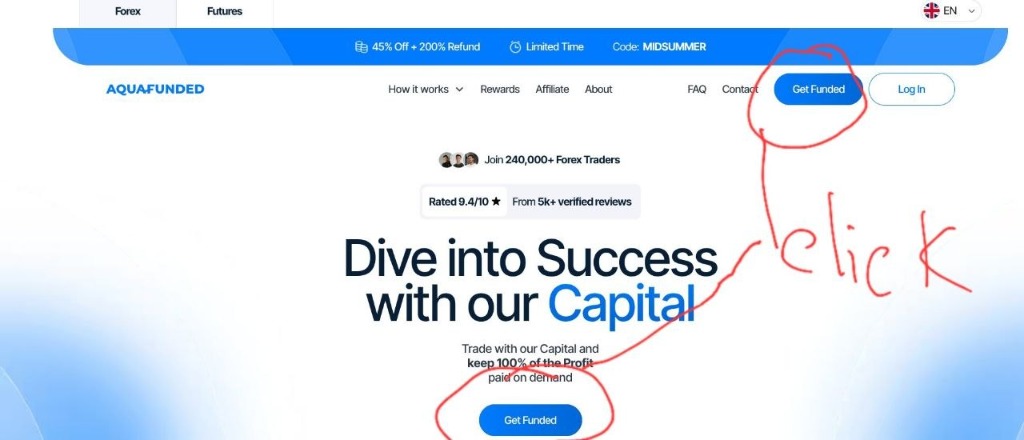
Portal Overview: Direct entrance to challenge selection for Forex and Futures trading evaluation.
Step 2: Choose Your Challenge Type
AquaFunded offers several evaluation paths — pick the one that matches your trading style and budget:
- 1-Step Challenge — Single evaluation phase, faster path to qualification.
- 2-Step Standard — Traditional two-phase evaluation with lower fees (Phase 1: 8%, Phase 2: 5%).
- 2-Step Pro — Relaxed drawdown/profit targets for enhanced flexibility.
- Instant Funding — Skip the evaluation entirely and access virtual funding immediately (higher upfront fee).
- Aqua Man — Specialty evaluation tier with customized scaling parameters.
If you are new to prop trading, the 2-Step Standard is usually the most cost-effective way to prove consistency before committing to a larger virtual capital allocation.
📸 Screenshot: Account Configuration Panel
Live Checkout Screen
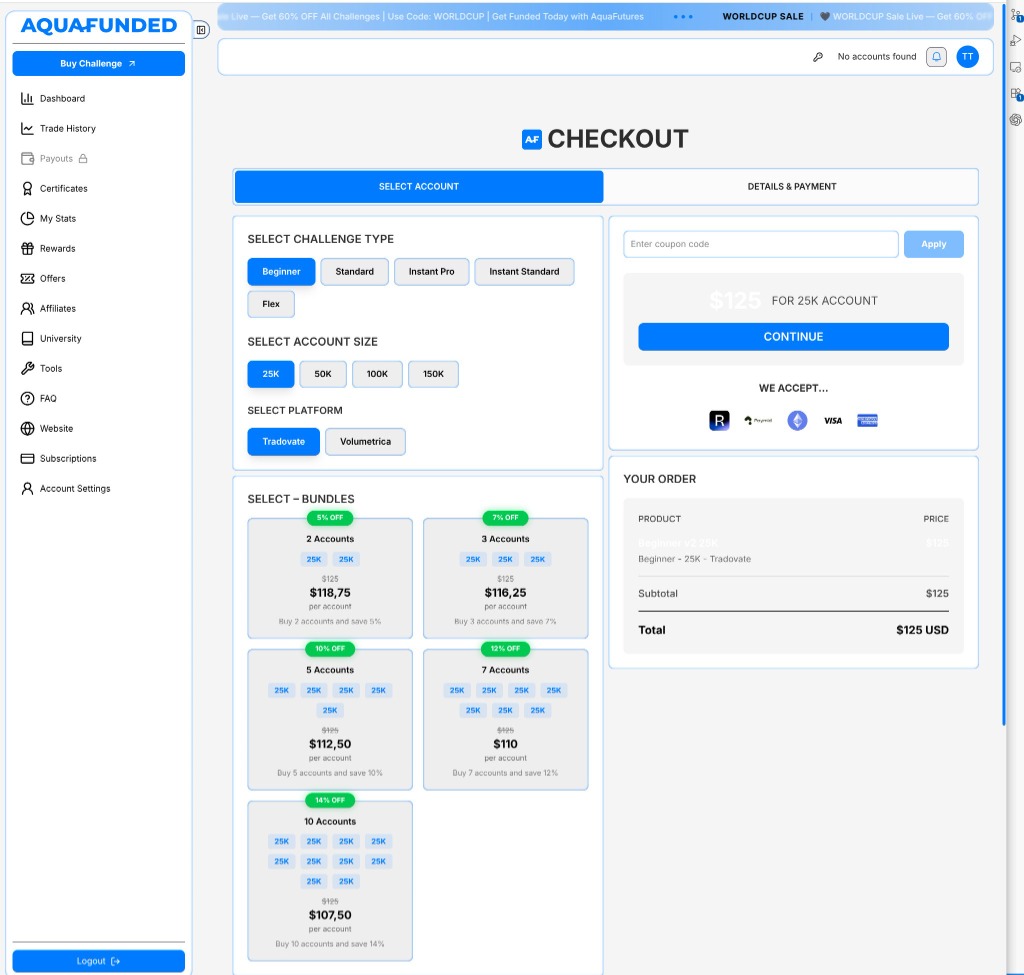
Bundles Options: Discounted account bundles available for multi-account management.
Accepted Payment Methods: Rise Pay, Cryptocurrency (USDT / ETH / BTC), Visa, Mastercard, AMEX.
Step 3: Select Your Account Size
Choose your starting capital — options range from $25,000 up to $150,000 (with scaling capabilities up to $2,000,000). A larger account costs more upfront but gives you a higher profit ceiling once qualified.
If it is your first challenge, starting smaller ($25K) allows you to test platform execution and drawdown rules without a large initial fee.
Step 4: Pick Your Trading Platform
Select the platform you are most comfortable trading on:
- Tradovate & Volumetric — Native futures and order flow execution platforms.
- cTrader & MT5 — Advanced execution, multi-asset depth, and expanded order types.
- TradeLocker — Modern web-based platform with direct TradingView charting integration.
Step 5: Create Your Account and Enter Details
Enter your primary email address and create a secure password, or register using social authentication (Google/Apple) if available.
Important: Double-check your email accuracy — this is where your evaluation login credentials, platform server details, and payout withdrawal notifications will be delivered.
📸 Screenshot: Account Creation Form
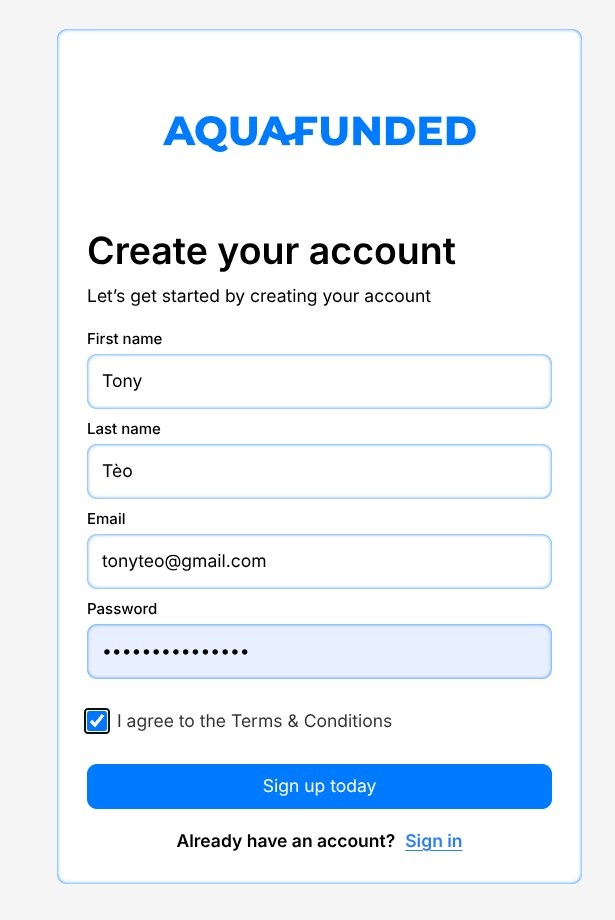
Registration Fields: First Name, Last Name, Email, Password & Terms Agreement
Step 6: Complete Checkout and Payment (Apply Promo Codes)
Review your order summary (challenge model, account size, platform, and total price).
Before confirming payment, enter one of the active promotional discount codes (such as WELCOME or MIDSUMMER) in the Promo Code box at checkout to apply active evaluation discounts and fee refund terms as specified on the AquaFunded website.
AquaFunded accepts major Credit/Debit Cards (Visa/Mastercard) and Cryptocurrency (USDT TRC20/ERC20, BTC, ETH) for instant processing.
📸 Screenshot: Website Offer Banner
Active Promotions

Verification Source: AquaFunded Website Offer Banner
📸 Screenshot: Checkout Order Summary & Payment Options
Order Verification
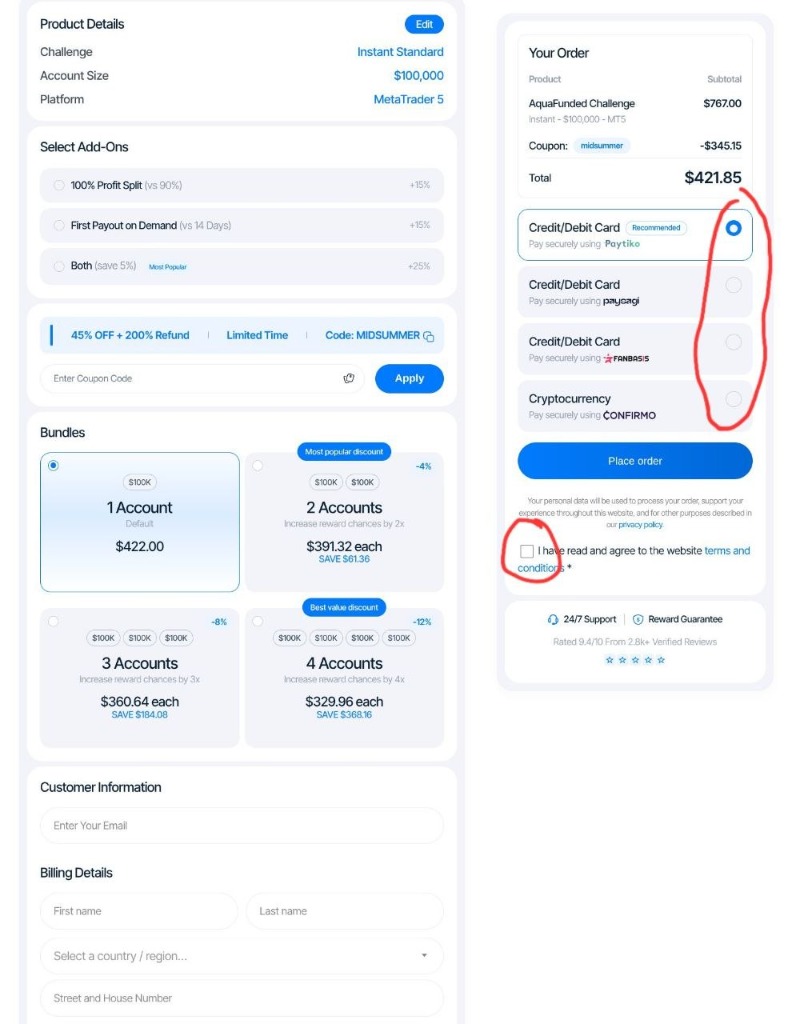
Checkout Steps: Select preferred card or crypto gateway, check "I have read and agree to website terms", and click Place order.
Step 7: Verify Your Email and Access Your Dashboard
Check your inbox for an automated confirmation email from AquaFunded. Click the verification link to log in to your user dashboard.
Inside the dashboard, navigate to the Accounts tab to find your newly generated trading credentials:
- Account ID / Login Number
- Trader Password (and Investor/Read-Only Password)
- Server Name (e.g.,
AquaFunded-Server-LiveorcTrader-AquaFunded)
📸 Screenshot: User Dashboard
Live User Panel
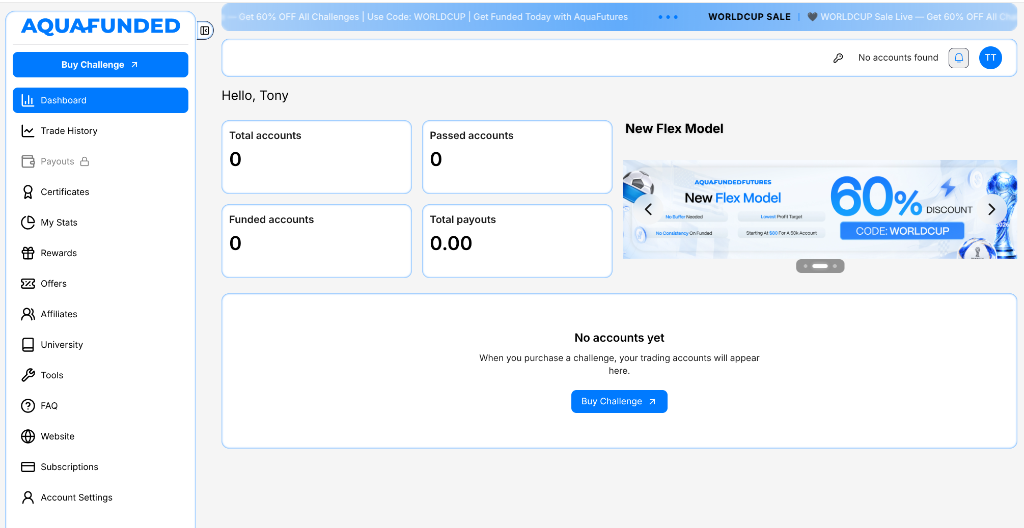
Dashboard Features: Account metrics tracking, challenge selection, and payouts management.
Step 8: Download Your Trading Platform and Log In
Download MT4, MT5, or cTrader from your dashboard (or launch TradeLocker directly in your web browser). Input your login credentials and select the correct server name to connect to live simulated market feeds.
🔑 TRADING TERMINAL ACCESS PROTOCOL
- • Platform Setup: Download MT5 or cTrader from your user dashboard (or launch TradeLocker directly in browser).
- • Credential Access: Retrieve your assigned Account ID and Master Password from your secure user dashboard credentials tab.
- • Server Connection: Select the designated evaluation server name specified in your dashboard credentials email.
Step 9: Review the Rules Before You Trade (The 25% Consistency Rule)
Before placing your first position, open the Objectives & Rules section of your dashboard and review key risk boundaries:
- Daily Drawdown Limit (5%): Calculated against your daily starting equity/balance peak.
- Maximum Overall Drawdown (10%): Static drawdown threshold.
- Minimum Trading Days: Usually 5 active trading days.
- 25% Daily Consistency Rule: No single trading session can account for more than 25% of total accumulated profit during an evaluation phase or payout cycle.
Understanding the 25% Consistency Formula
Max Single-Day Allowed Profit = Total Target Profit x 25%
- Example: On a $100K account with an $8,000 profit target (Phase 1), no single day can contribute more than $2,000 (25% of $8,000).
- Buffer Rule: If you earn $4,000 on Day 1, your account is NOT breached. However, you must continue trading to expand your overall profit to $16,000 so that the $4,000 session falls back to 25% or less of total net profits.
📸 Screenshot: My Stats & Drawdown Tracker
Real-Time Metrics Panel
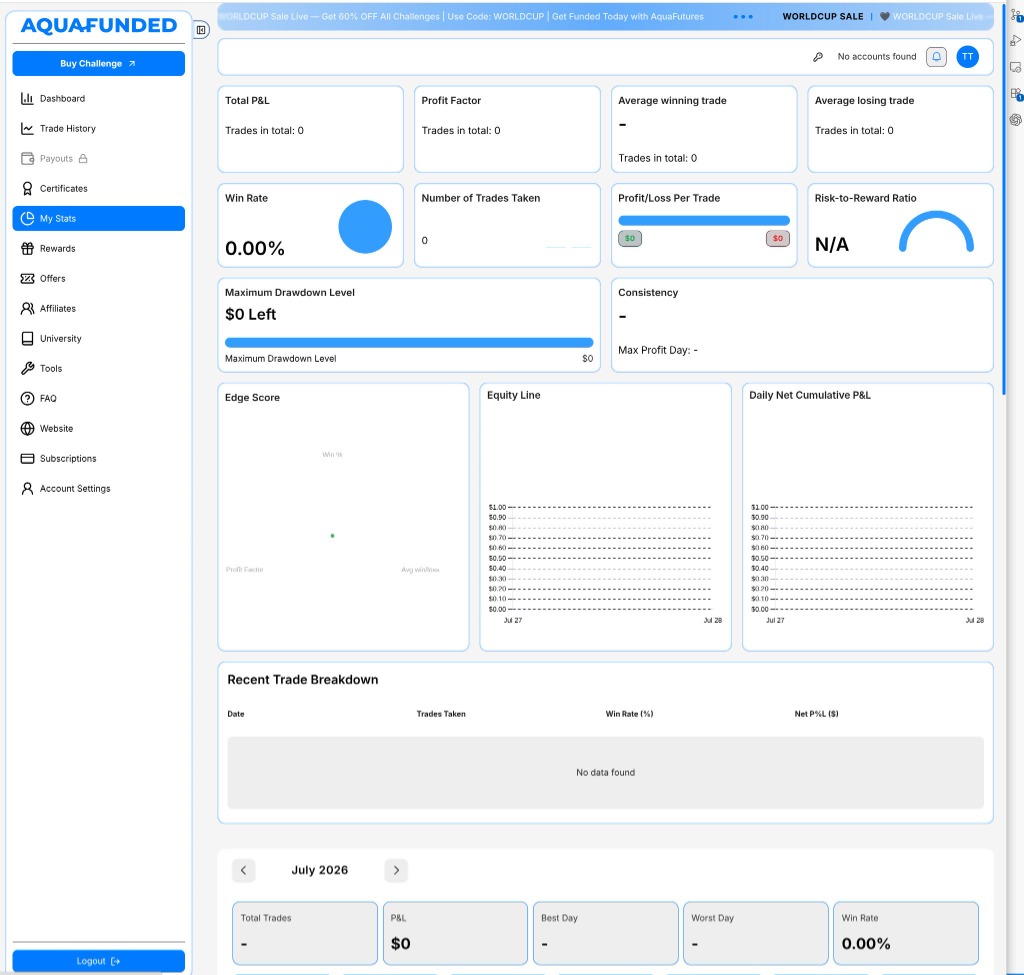
Visual Analytics: Live Equity Line chart, Daily Net Cumulative P&L, Edge Score, and Recent Trade Breakdown table.
Step 10: Start Trading & Track Metrics
Once you are clear on your risk limits and strategy parameters, place your initial order. Monitor your daily P&L, open equity, drawdown buffers, and days remaining directly through your AquaFunded analytics dashboard.
📸 Screenshot: Trade History & Position Log
Live Execution Log
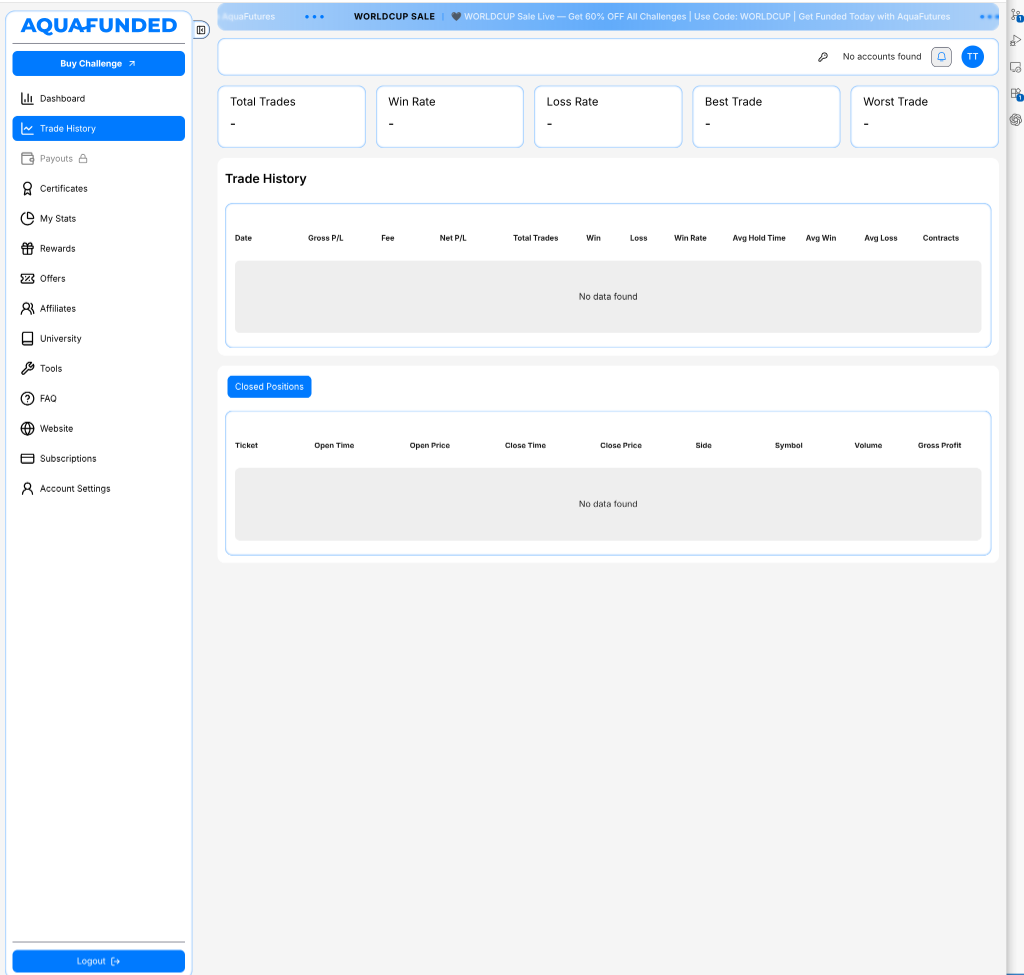
Order Log Details: Complete ticket tracking with Open/Close timestamps, entry/exit prices, position side, symbol volume, and gross profit/loss breakdown.
Quick Setup Summary & Action Plan
| Step | Action | Key Verification |
|---|---|---|
| 1 | Visit AquaFunded website → Click "Get Funded" | Verify SSL domain integrity |
| 2 | Choose challenge type | Select 2-Step Standard for lowest fees |
| 3 | Select account size | $10K to $200K virtual capital options |
| 4 | Pick trading platform | cTrader / MT5 / MT4 / TradeLocker |
| 5 | Create account | Enter valid email for credential delivery |
| 6 | Complete payment | Enter code WELCOME for active discounts |
| 7 | Access dashboard | Obtain account login number & server details |
| 8 | Download platform & log in | Connect terminal to AquaFunded live feeds |
| 9 | Review rules | Check 5% daily loss & 25% consistency limit |
| 10 | Start trading | Monitor real-time metrics on dashboard |
Following these steps correctly helps you avoid the most common early mistake — placing trades prior to fully understanding daily equity drawdown and consistency limits, which is the primary driver of early challenge breaches.
Payout Request Process Overview
Once you pass Phase 1 and Phase 2, complete KYC verification, and trade for at least 5 active days on your virtual funded account, you qualify for bi-weekly 14-day payouts with a 90% profit split.
Requesting Payouts:
- Log in to your AquaFunded dashboard and navigate to Payouts.
- Select your withdrawal channel: Rise Pay (Bank Wire) or Crypto (USDT TRC20).
- Enter your wallet address or Rise account email.
- Submit the request for disbursal within 24 to 48 business hours.
📸 Screenshot: Payout Junction Audit
Disbursal Metrics Panel
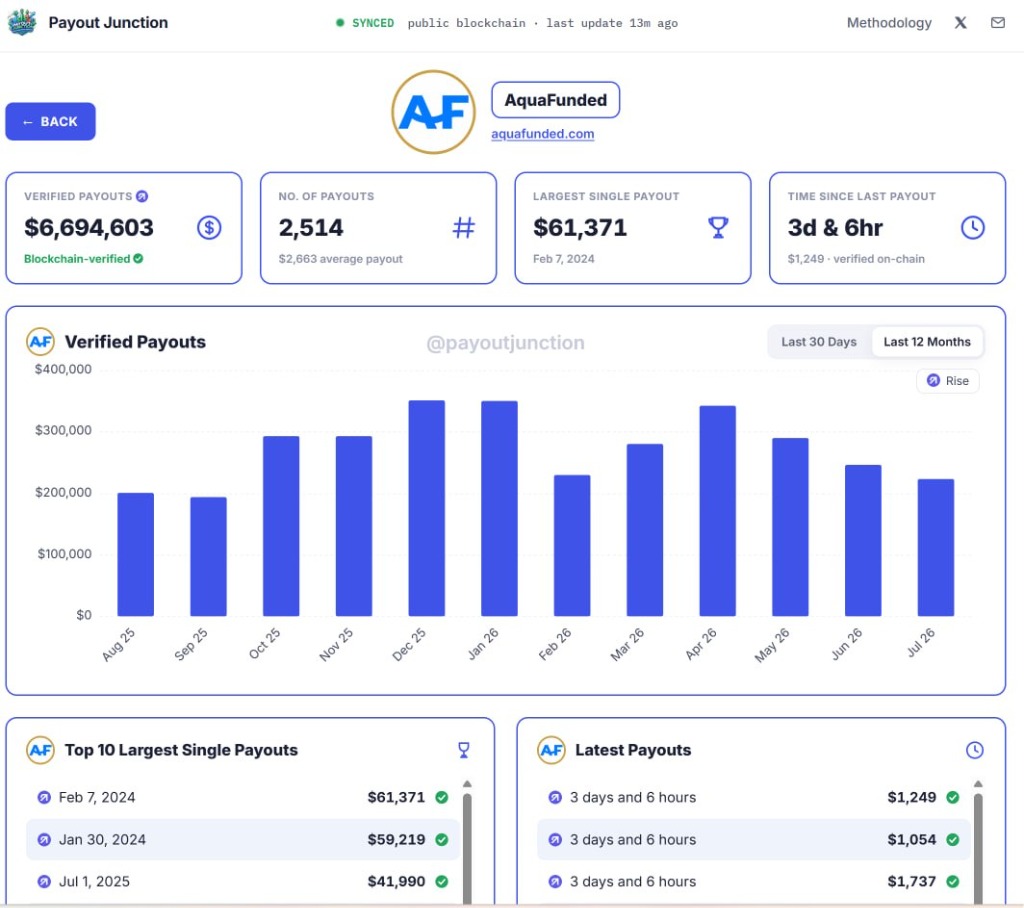
Verification Source: Independent Blockchain & Rise Pay Audit via Payout Junction
Challenge Model Feature Comparison
| Evaluation Feature | 2-Step Standard | 1-Step Evaluation | Instant Funding |
|---|---|---|---|
| Profit Targets | Phase 1: 8% / Phase 2: 5% | 10% | None |
| Daily Drawdown Limit | 5% (Equity-based) | 4% (Equity-based) | 3% - 4% |
| Max Drawdown Limit | 10% (Static) | 6% (Trailing) | 6% (Static) |
| Daily Consistency Rule | 25% Rule Applies | 25% Rule Applies | N/A |
| Profit Split Allocation | 90% Base (up to 95%) | 90% Base | 80% - 90% |
| First Payout Cadence | 14 Days | 14 Days | 7 Days |
Frequently Asked Questions (FAQ)
Frequently Asked Questions
Community Reviews & Ratings
Verified feedback from real traders and community members.
Passed the 100K 2-step challenge in 9 days. First withdrawal was requested on a Tuesday and hit my Rise account by Wednesday morning. Spreads on Gold during New York open were tight.
Very impressed with their cTrader server setup. No random disconnects like some other firms. Rules on consistency are fair as long as you risk 1% or less per setup.
The 20% discount code WELCOME worked instantly at checkout. Just make sure to read the 25% daily consistency rule so you dont get delayed on payout.